Unleash your child’s creativity by building fun games and stories with Scratch. They’ll develop foundational coding skills while exploring animation, interactive storytelling, and problem-solving.
Discover the joy of coding with Alphagen’s Creative Coders: Scratch Camp!
Working one-on-one with a dedicated instructor, kids use MIT’s Scratch platform to bring their ideas to life-building games, animations, and interactive stories with colorful drag-and-drop blocks. Along the way, they’ll master core coding concepts like loops, conditionals, and variables, all while boosting creativity, confidence, and problem-solving skills. Whether your child is new to coding or ready to level up, this camp is the perfect launchpad for future tech adventures.
This sample week shows how students move through the course, day by day. While each learner progresses at their own pace, it outlines the key concepts, hands‑on projects, and overall experience they can expect.
Students get started in Scratch, choose characters, and use simple code blocks to make them move and respond when clicked.
Students learn to control a moving character or target on screen and trigger different actions when it’s hit.
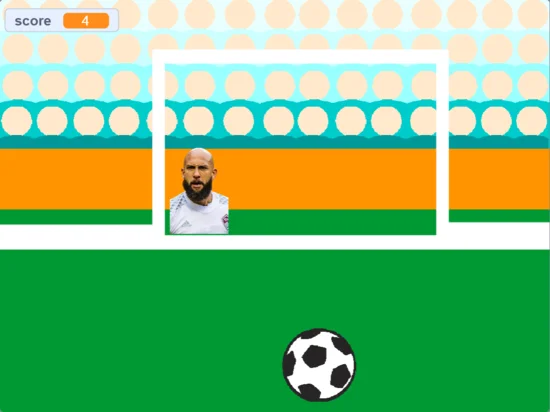
Students build a simple game with a clear objective and add a score that increases whenever players succeed.
Students design obstacles the player must avoid, turning their project into a more challenging, fast‑paced game.
Students bring everything together to create a “jump and keep going” game where a character dodges nonstop obstacles.
Prerequisites: Students need to have completed Coding on Scratch Camp 1 or similar introductory course as a prerequisite.
This sample week shows how students move through the course, day by day. While each learner progresses at their own pace, it outlines the key concepts, hands‑on projects, and overall experience they can expect.
Students learn how to write instructions once and let the computer create many copies on screen using Scratch clones.
Students build a sorting-style game where items must be placed in the correct spot, and the game decides if each answer is right or wrong.
Students create a game with a moving target that players must catch before the timer runs out.
Students discover that games don’t have to use a keyboard by using their voice to control characters and actions on screen.
Students combine the week’s skills—clones, decisions, timers, and new controls—into a polished final game they can proudly share.
Questions? Chat with us on WhatsApp.
Getting your child into camp takes minutes. We’ll find the perfect teacher to pair them with, you just pick what works for your family.
Pick your camp topic
Choose from Scratch, Python, Generative AI, Vibe Coding, Minecraft and more - all matched to your child's age and skill level.
Choose your daily time slot
Five slots available every day. Pick one for the week. Your child keeps the same slot for the week with the same teacher throughout.
We confirm your teacher
Let us know your choice and we'll match your child to a dedicated teacher within a few hours. We're just a call or message away.
System Requirements
A laptop or tablet with connected keyboard and mouse, webcam, and a good Wi-Fi connection. Learners should be familiar with basic use of a laptop or desktop computer and how to use Zoom.
Learning to code can seem intimidating at first, but Scratch removes that barrier for kids. Within a few minutes, kids can start creating their first game, app or animation without having to worry about syntax.
Scratch may be better suited for younger kids, but the programming foundation they will gain through Scratch is a stepping stone for them to move on to more sophisticated programming languages such as Python! With a strong foundation, kids will have an easier time understanding different technologies and more advanced coding concepts, opening the door to an exciting world of technology and even careers in STEM!
Students who have a busy schedule will benefit from our online camps as it greatly reduces the commute time to and from class! They will need to spare only 90 minutes a day from the comfort of home to attend the online camp! As with all our classes, students will benefit from a private online 1-on-1 class with an experienced tutor.
Definitely! As all our online lessons are 1-on-1 with a tutor, the curriculum is personalised to meet your child’s skill level, and tailored to suit their unique interests. Whether they are just starting out or have prior coding experience, our tutors will engage and challenge them to bring out their best!
Students will need a Windows or Mac computer with a connected mic and webcam. They also need to have Zoom installed. We do not recommend tablets, as the multi-tasking ability between Zoom and some browser-based teaching platforms is often unreliable.